How do I edit my content?
You need to be logged in to edit or add to your content. Making sure that it is correct, comprehensive and sells your business is the key to being successful.
If you are logged in on your Directory page, you'll see the following:

NB!!!  The cog symbol opens options for editing your listing, adding and editing media (photos, videos and attachments).
Edit Listing is where you change business descriptions, location, other info and, if you have a Full Entry, your contact details.
The Edit media option shows all your media (photos, etc) and allows you to delete images, change the order, add captions and select your main image.

The red star means a photo is your main image. The green tick means the image is published (red tick = not published). The pen symbol allows you to edit your media – add a caption. And the waste bin allows you to delete the media item.
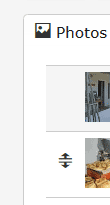
A double arrow appears when your cursor hovers over one of the images. Dragging it up or down changes the order of the images.
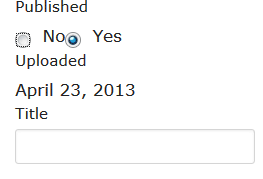 When you click on the pen icon to edit images, a caption can be added in the Title field. Tell your readers what they are seeing!
Remember that you can show up to 13 photos (depending on the Plan chosen).
For a neat page, where the image gallery forms a block, please add 4, 7, 10 or 13 photos. You can also add extra photos quickly by clicking on the "Add media" button alongside the cog symbol.